Quote, schedule, invoice, and get paid in one place, from your phone or truck.


Your next customer might never call. More people now ask an AI assistant to find and book a local pro. FieldCommerce puts your business in that answer and books the job straight onto your calendar.
Win the after-hours customer
Someone asks their assistant at 9pm. By morning the job is on your calendar, not a competitor's.
Serious customers only
Every booking is confirmed by the customer, so the job is real before you roll a truck.
No phone tag
Name, address, service, and day arrive as a job ready to dispatch. Nothing to call back about.
Never overbooked
Assistants only offer days you have room, in the areas you serve, at your prices.
Customer, 9:12 pm
AI assistant
Done. You're booked with Green Valley Pest Control. Check your email to confirm.
General pest treatment
Tuesday, Sep 29 · $149
Confirmation emailed
New job on your calendar
General pest treatment · Tue, Sep 29 · 118 Oak St, Macon
Booked by AI assistant while you were off the clock
No more juggling spreadsheets, texts, and paper invoices. One seamless workflow from the moment a customer reaches out to the moment you get paid.
A customer reaches out. Their request is automatically matched to your service catalog so you can respond fast with the right quote.
"My furnace is banging" → HVAC Diagnostic
Send a professional quote with services, pricing, and descriptions pre-filled. Customers approve online, so there's no back-and-forth.
Professional quotes in under a minute
Convert the approved quote into a job. Scheduling suggestions based on your team's availability and the customer's preferences.
Drag-and-drop calendar with route mapping
Job done? The invoice is generated with the right line items and amounts. Send it, get paid by card, and it syncs to QuickBooks.
Zero manual data entry required
From the first customer call to the paid invoice, one platform handles the flow, so you can stay out on the truck.
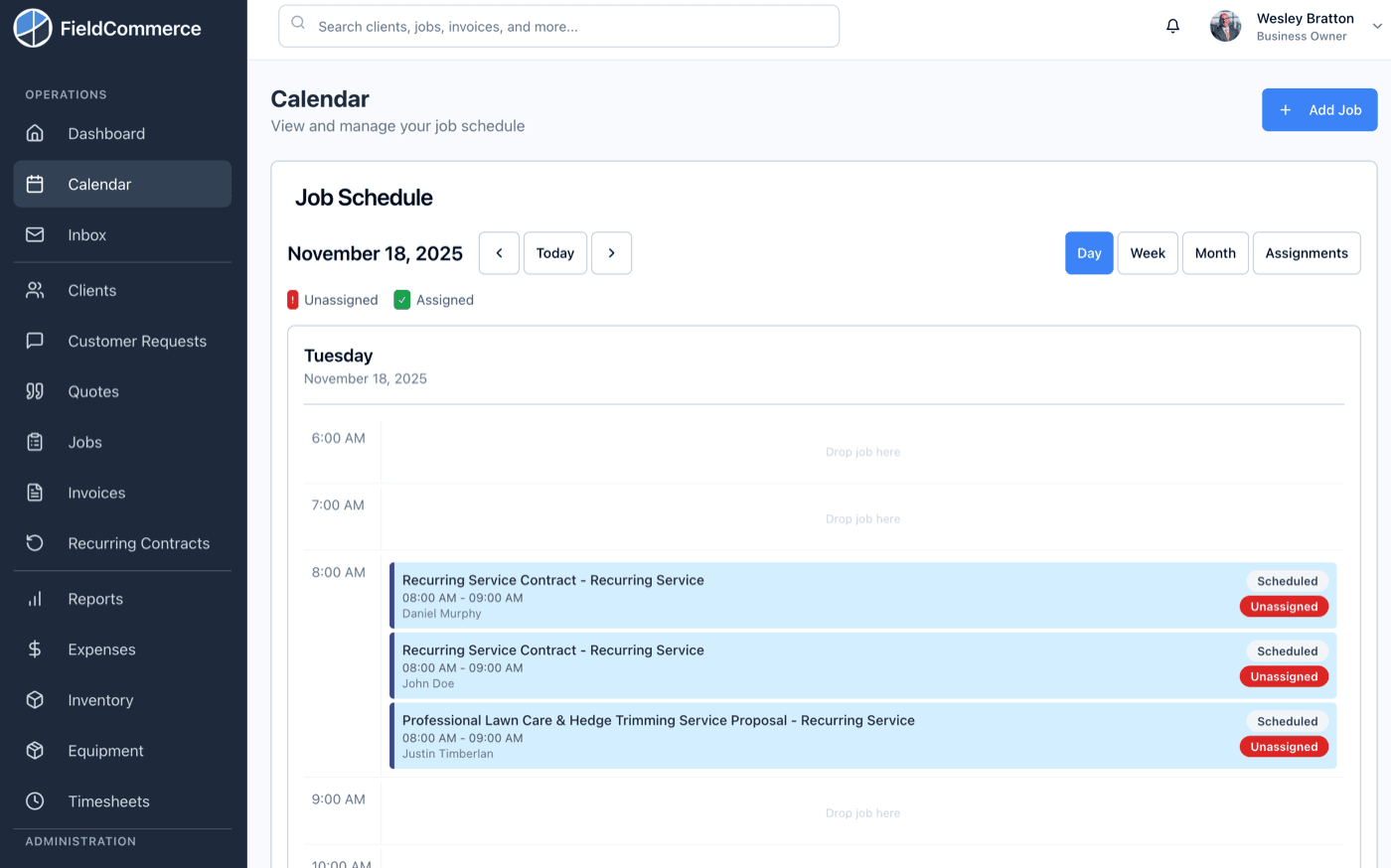
Drag and drop jobs on your calendar. See your entire team's schedule at a glance with integrated mapping.
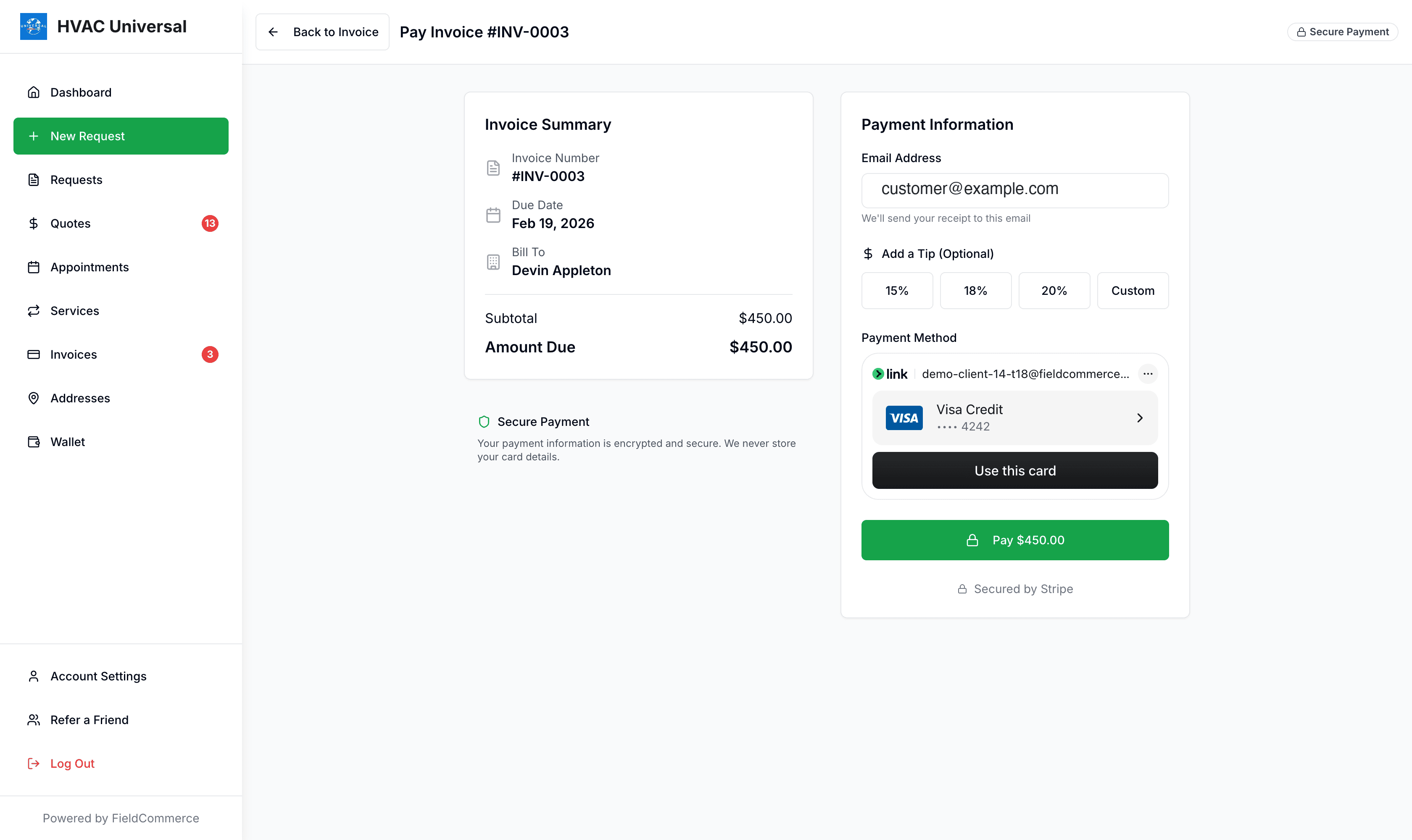
One tap turns the completed job into an invoice. The customer taps their card on your tech's phone, or the crew records cash or check, texts a pay link, or automatic payments charge the card on file for you.
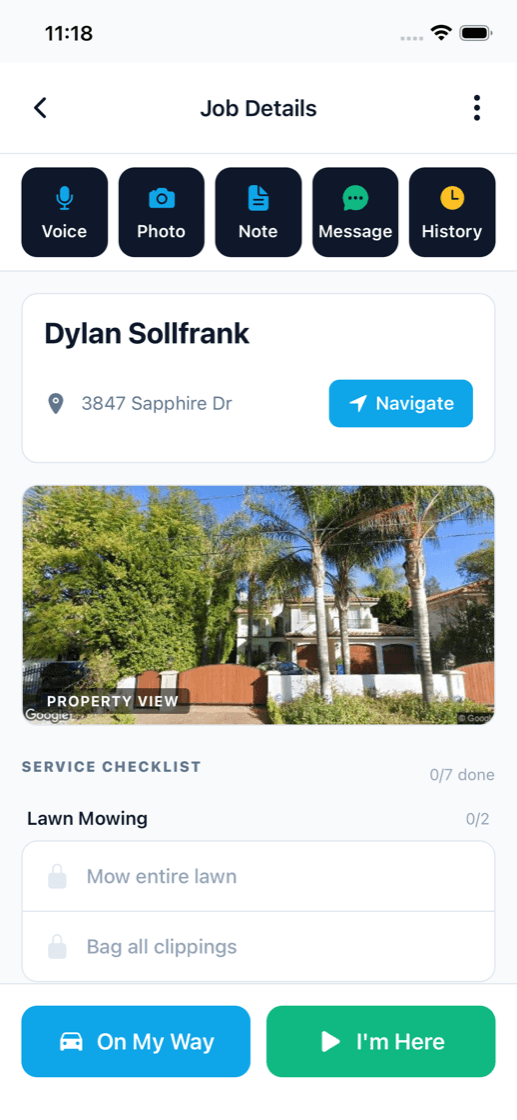
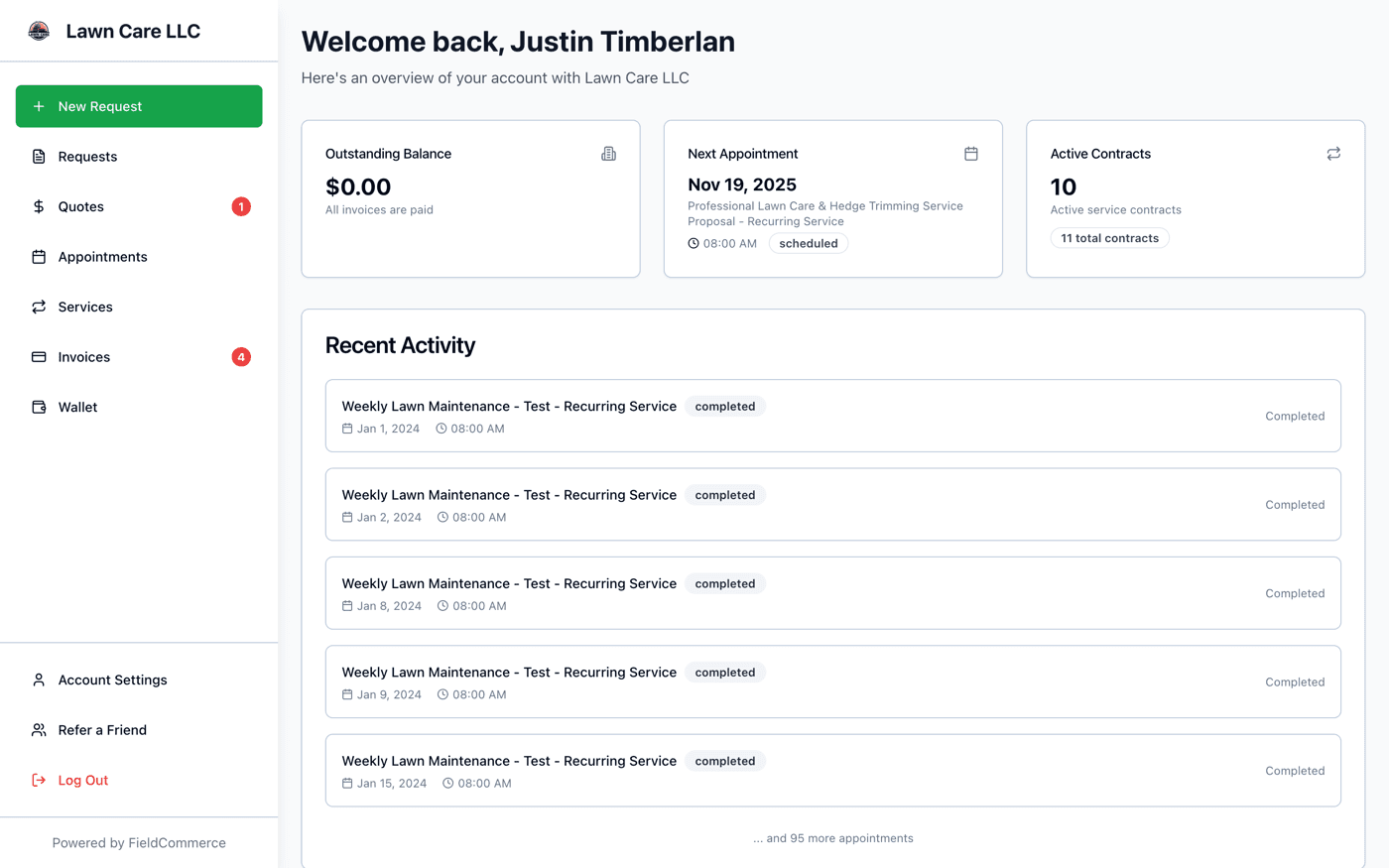
Automatic updates when you're on the way, when the job is done, and when the invoice is ready. They can view it all in their own portal.
See how each part of FieldCommerce works, from the first customer request to the final payment.
Customers ask AI assistants to find and book local service pros. FieldCommerce puts your business in front of them and turns their request into a booked job on your calendar.
Give customers one place for quotes, invoices, appointments, requests, and account history.
Keep company details, clients, invoices, and expenses aligned with QuickBooks Online.
Answer the 7am questions about today, overdue invoices, revenue, and follow-ups before the day starts.
One tap turns the finished job into an invoice, and your crew collects with Tap to Pay on their phone, cash, check, or a text-to-pay link on the spot.
Organize recurring work, contract cadence, and billing with a cleaner system than ad hoc reminders.
Plan the day on a clear calendar, move jobs quickly, and keep routing more organized.
Capture service requests in a more organized format and turn intake into action with less manual cleanup.
Keep operational records cleaner for equipment, parts, and expenses that impact the real cost of work.
Comparing options? See FieldCommerce vs FieldRoutes, FieldCommerce vs GorillaDesk, FieldCommerce vs Briostack, FieldCommerce vs Jobber, FieldCommerce vs Housecall Pro, FieldCommerce vs Zuper, FieldCommerce vs ServiceFusion, or read practical guides for trade shops on the FieldCommerce blog.
Built for shops that turn wrenches, not spreadsheets. Tuned for the realities of each trade.
Also built for Pool & Spa, Window Cleaning, Power Washing, Roofing, Air Filtration, Appliance Repair, Auto Repair, Junk Removal.
Our guided onboarding gets your business running on FieldCommerce fast. Connect QuickBooks to import everything automatically, or describe your services and we'll build the catalog for you.
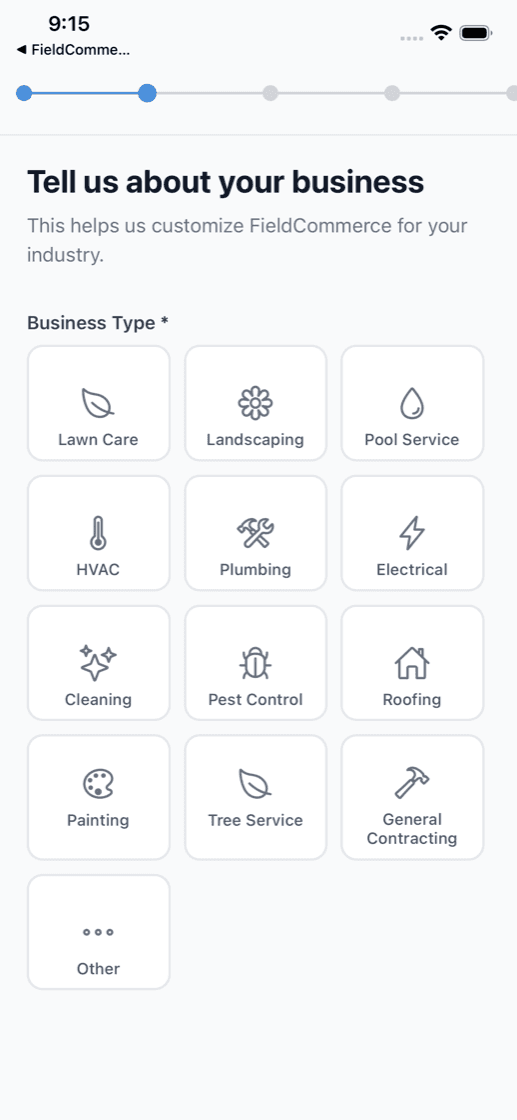
Select your industry and we customize the platform for your business type.
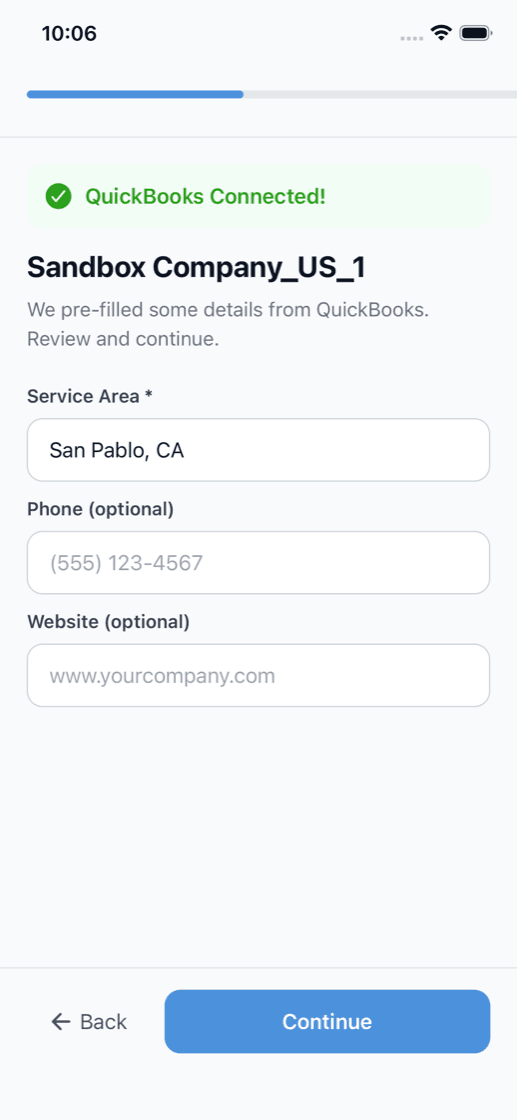
One click to import your company details, clients, payment methods, and expenses.
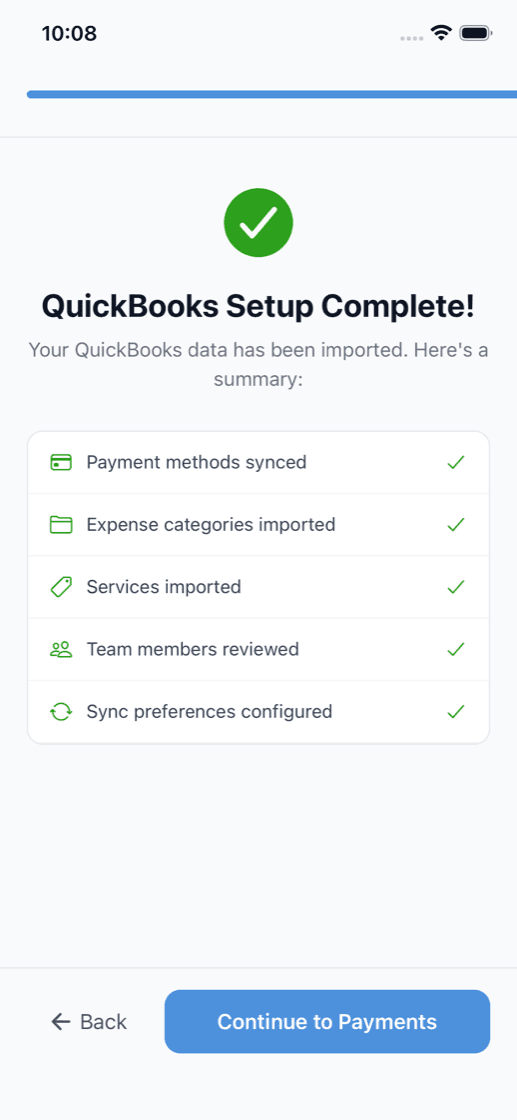
Payment methods, expenses, services, and team members, all imported and ready.
The questions every owner asks at 7am, answered before you even open the app.
Mike has 4 stops, Jim has 3. First call is an HVAC repair at the Henderson's at 8:30.
3 invoices overdue, totaling $2,847. Oldest is 47 days. Send reminders?
$38,420, up 12% vs. last month. 6 recurring contracts renewed, 2 new clients this week.
2 quotes aging past 7 days. The Miller quote hasn't been opened yet.
Tell us how many trucks you run and we'll put together a plan that fits. Every plan includes the full platform, AI features, and free white-glove onboarding.
30-day free trial · Cancel anytime · Free white-glove onboarding
Join shops that are saving hours every week with scheduling, invoicing, and business intelligence that just works.
30-day free trial · Cancel anytime · Free white-glove onboarding · Free migration
No. Your 30-day trial doesn't require a credit card. You only add one when you decide to stay.
Most shops are up and running the same day. We import your clients, services, payment methods, and expenses from QuickBooks for free.
FieldCommerce syncs directly with QuickBooks Online. Invoices, clients, and expenses move automatically between the two, with no duplicate entry.
When someone asks an AI assistant to book a service in your area, the assistant can see the services, prices, and open days you choose to list. The customer picks a day, confirms it from a quick email, and the job lands on your FieldCommerce calendar. You only get offered on days you have room, with no lead fees.
Yes. Keep Square, QuickBooks Payments, PayPal, Clover, or whatever you use today, and your invoices show your own payment instructions. When you want Tap to Pay, Pay Now on every invoice, and deposits on approved quotes, switch to FieldCommerce Payments with no FieldCommerce fee.
